FormEngine for VSCode
Edit forms visually, right in your IDE
Stop editing complex JSON by hand. Open the visual designer with a right-click, drag and drop components, and apply changes instantly to your code.
No Context Switching
Stay in VSCode — no external tools needed. Right-click on form JSON and open the visual designer.
Drag & Drop Editing
Add, remove, or rearrange components visually. Change properties, logic, and layout without touching JSON.
Instant Apply
Click Apply and your changes appear in the code immediately. Ready to test or commit.
Works Everywhere
Works whether your forms are inline in code or stored in separate JSON files.
See it in action
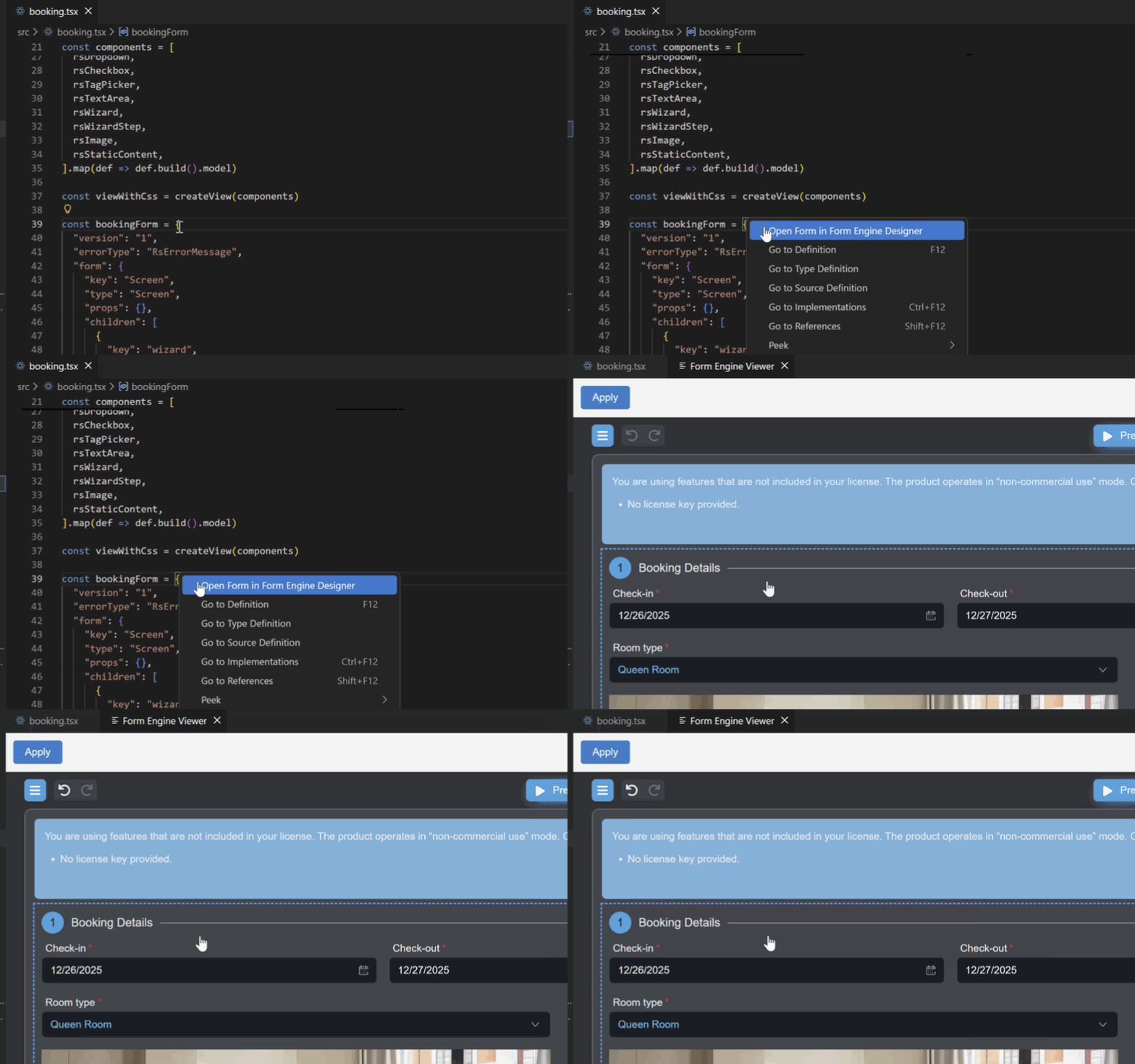
Right-click on form JSON, edit visually, apply changes — all without leaving your IDE.
How to use
1
Install the extension from VSCode Marketplace
2
Right-click on any FormEngine form JSON in your code
3
Select "Open Form in FormEngine Designer"
4
Edit visually, then click Apply